I wanted to remotely trigger the camera to take a photo. Not just on motion, but on demand from a web interface.
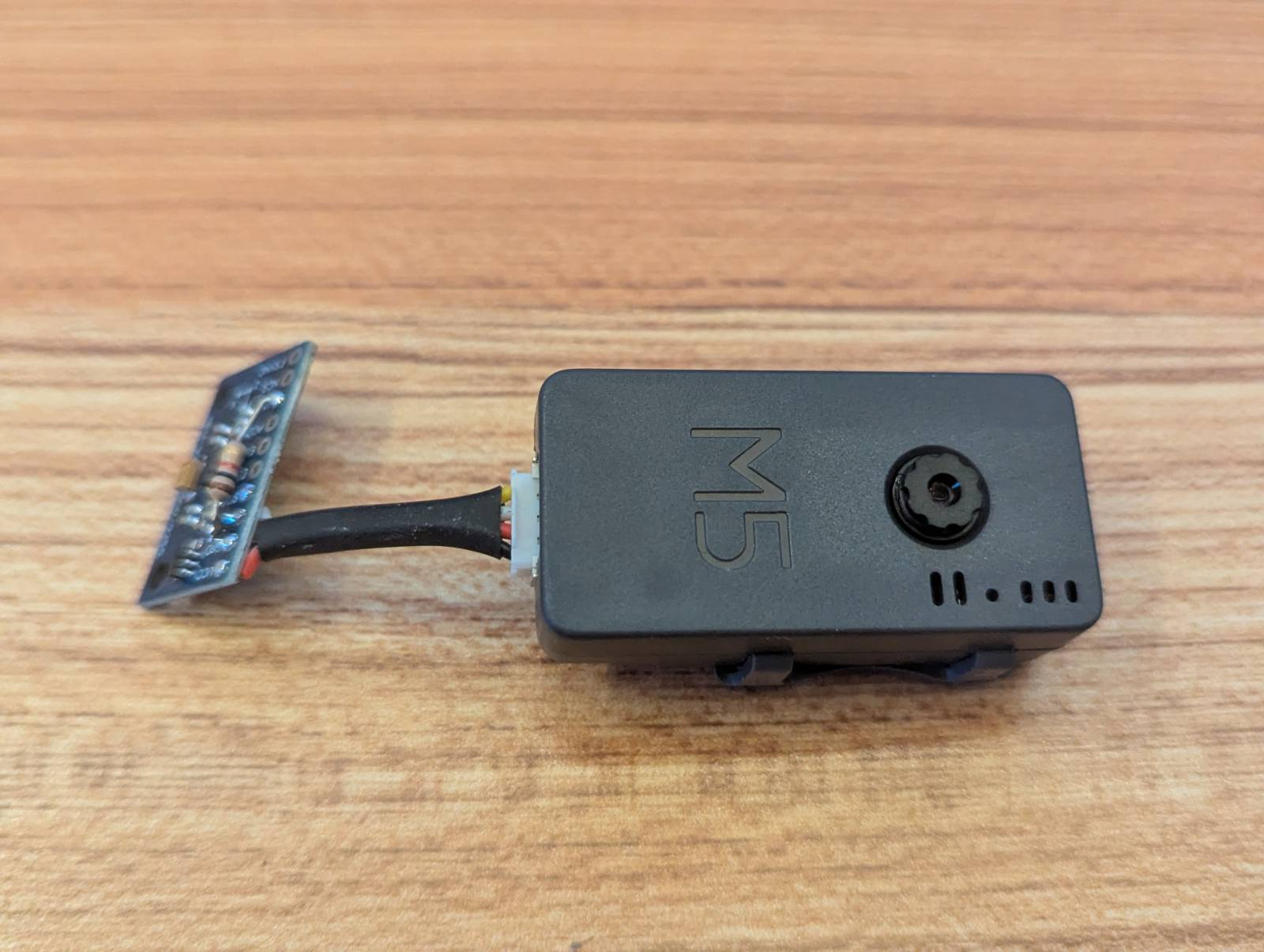
The obvious approach is to run an HTTP server on the ESP32. But HTTP servers don’t sleep. They listen continuously for incoming connections. That means WiFi stays on, burning battery even when nothing is happening.
The solution is to flip it around. Instead of the camera listening for commands, it polls for them. Wake up, ask the server “do you have any commands for me?”, execute them, go back to sleep.
The Architecture
There’s already an image server running on my local network that receives uploaded photos. I added a simple command queue to that server:
- POST
/api/commands/<client_id>- Add a command to the queue - GET
/api/commands/<client_id>/next- Retrieve and remove next command
The camera wakes up periodically (or on motion), connects to WiFi, checks for commands, executes them, and disconnects. No listening. No persistent connections. Just poll-execute-sleep.
The Camera Side
The command polling code is straightforward:
// Check if server has any commands for us
esp_err_t ret = commands_fetch_next(&cmd);
if (ret == ESP_OK) {
    ESP_LOGI(TAG, "Received command: %s", cmd.action);

    if (strcmp(cmd.action, "capture") == 0) {
        // Take a photo and upload it
        capture_and_upload();
    } else if (strcmp(cmd.action, "settings") == 0) {
        // Update device settings
        update_settings(&cmd);
    }

    // Acknowledge command execution
    commands_ack(cmd.id);
}
The commands_fetch_next() function does an HTTP GET to the server’s command endpoint. If there’s a command, it returns it. If not, it returns ESP_ERR_NOT_FOUND and we skip command execution.
Here’s the HTTP implementation:
esp_err_t commands_fetch_next(command_t *cmd)
{
    char url[256];
    snprintf(url, sizeof(url), "%s/api/commands/%s/next",
        CONFIG_IMAGE_SERVER_URL,
        CONFIG_IMAGE_SERVER_CLIENT_ID);

    esp_http_client_config_t config = {
        .url = url,
        .method = HTTP_METHOD_GET,
        .timeout_ms = 5000,
    };

    esp_http_client_handle_t client = esp_http_client_init(&config);
    esp_err_t err = esp_http_client_perform(client);

    if (err == ESP_OK) {
        int status = esp_http_client_get_status_code(client);
        if (status == 200) {
            // Parse JSON response into cmd struct
            parse_command_json(response_buffer, cmd);
            esp_http_client_cleanup(client);
            return ESP_OK;
        } else if (status == 204) {
            // No commands available
            esp_http_client_cleanup(client);
            return ESP_ERR_NOT_FOUND;
        }
    }

    esp_http_client_cleanup(client);
    return ESP_FAIL;
}
The server returns HTTP 204 (No Content) when the queue is empty. This lets the camera distinguish “no commands” from “error fetching commands.”
The Server Side
On the server, the command queue is just an in-memory array per client:
# Flask server
from collections import defaultdict, deque

command_queues = defaultdict(deque)

@app.route('/api/commands/<client_id>', methods=['POST'])
def add_command(client_id):
    cmd = {
        'id': str(uuid.uuid4()),
        'action': request.json['action'],
        'params': request.json.get('params', {}),
        'timestamp': time.time()
    }
    command_queues[client_id].append(cmd)
    return jsonify(cmd), 201

@app.route('/api/commands/<client_id>/next', methods=['GET'])
def get_next_command(client_id):
    if client_id in command_queues and command_queues[client_id]:
        cmd = command_queues[client_id].popleft()
        return jsonify(cmd), 200
    else:
        return '', 204  # No content
Commands older than 5 minutes are automatically discarded. If the camera is offline for a while, stale commands don’t pile up forever.
The Web GUI
The web interface is a simple HTML page with a button:
<button onclick="captureNow()">Capture Photo Now</button>

<script>
async function captureNow() {
    const response = await fetch('/api/commands/my-camera-id', {
        method: 'POST',
        headers: {'Content-Type': 'application/json'},
        body: JSON.stringify({
            action: 'capture',
            params: {}
        })
    });

    if (response.ok) {
        alert('Command sent! Photo will be taken on next wake.');
    }
}
</script>
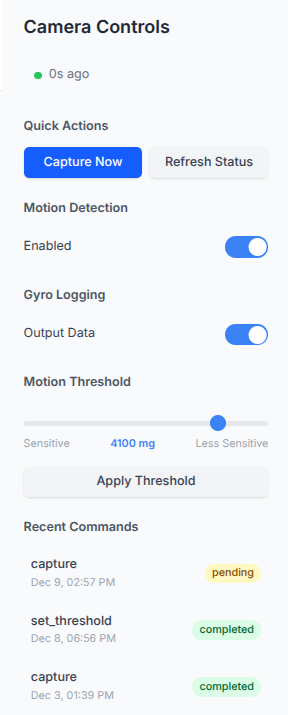
Click the button, command goes in the queue. Next time the camera wakes (within 2 seconds on timer polling), it sees the command and takes a photo.
The latency is the polling interval. With 2-second polling, you get a response in 0-2 seconds. With 30-second polling, you might wait up to 30 seconds.
Power Comparison
Let’s compare power consumption:
HTTP server on ESP32 (always listening):
- WiFi active continuously
- Average current: ~100mA
- Battery life on 1000mAh: ~10 hours
Command polling (2-second interval):
- WiFi active ~500ms every 2 seconds (connect, poll, disconnect)
- Average current: ~200μA
- Battery life on 1000mAh: ~208 days
The polling approach uses 500x less power. It’s the difference between “replace batteries daily” and “replace batteries yearly.”
Handling Command Failures
What if the camera fails to execute a command? Maybe the photo capture times out, or the filesystem is full.
I added a simple retry mechanism:
esp_err_t ret = execute_command(&cmd);
if (ret != ESP_OK) {
    // Put command back in queue for retry
    commands_nack(cmd.id);
} else {
    // Command succeeded, remove from queue
    commands_ack(cmd.id);
}
On the server side, NACK moves the command to a retry queue with exponential backoff. After 3 failures, the command is discarded and logged.
This prevents infinite retry loops while still handling transient failures (network glitches, temporary hardware issues).
The Trade-offs
Polling has inherent latency. You can’t get instant response like with a persistent connection. But for a battery-powered camera, that latency is worth the 500x power savings.
If you need instant response, you’d need to:
- Keep WiFi on continuously
- Run an HTTP server or WebSocket listener
- Accept 100mA+ average current draw
- Replace batteries every few days
For my use case (motion-triggered camera that occasionally needs manual triggers), the polling latency is fine. Waiting 0-2 seconds for a manual capture is no big deal.
Extending the Command System
The beauty of the command queue is you can add new commands without changing the camera firmware’s main loop. Want to adjust motion sensitivity? Add a command:
{
    "action": "set_threshold",
    "params": {"threshold_mg": 150}
}
Want to trigger a burst of photos? Add a command:
{
    "action": "burst",
    "params": {"count": 5, "interval_ms": 1000}
}
The camera’s command handler switches on action and dispatches to the appropriate function. Adding new actions is just adding new cases to the switch.
Security Considerations
Right now the command queue has no authentication. Anyone on the local network can send commands to any client_id.
For a hobby project on a trusted network, that’s fine. For production, you’d want:
- API key authentication on the POST endpoint
- Client-specific API keys (not shared across all cameras)
- HTTPS instead of HTTP
- Rate limiting to prevent command spam
The ESP-IDF HTTP client supports TLS, so adding HTTPS is just changing the URL scheme and providing a CA certificate. The complexity is in certificate management, not the code.
Lessons Learned
Don’t run servers on battery-powered devices. Polling is more power-efficient than listening.
The latency of polling is usually acceptable for human-triggered commands. Humans can wait a second or two.
Keep the command protocol simple. Action + params JSON is flexible enough for most use cases.
Test the failure paths. Commands will fail for weird reasons (WiFi drops, server restarts, filesystem full). Make sure failures don’t corrupt state.
In-memory queues are fine for hobby projects. For production, use Redis or a real message queue with persistence.